How to Add Lyrics to Video Automatically
If you've ever tried adding lyrics to a video manually, you know how painful it is. Type a line. Drag it onto the timeline. Scrub through the audio trying to figure out exactly when the word starts. Adjust. Scrub again. Repeat for every single line of the song. A three-minute track can eat up your entire afternoon.
I built MadSync to skip all of that. You drop in a song, click one button, and AI transcribes the lyrics with word-level timing. Every word gets placed on your video matched to when the singer actually says it. If a word gets misheard, you fix it and re-sync that one section. Done.
Import Your Stuff
Drag your audio and video into MadSync. Any common audio format works. Your video can be clips, photos, whatever you've got. You can even skip video entirely and just run lyrics over a black screen if that's the vibe you're going for.
Generate Lyrics from Any Song
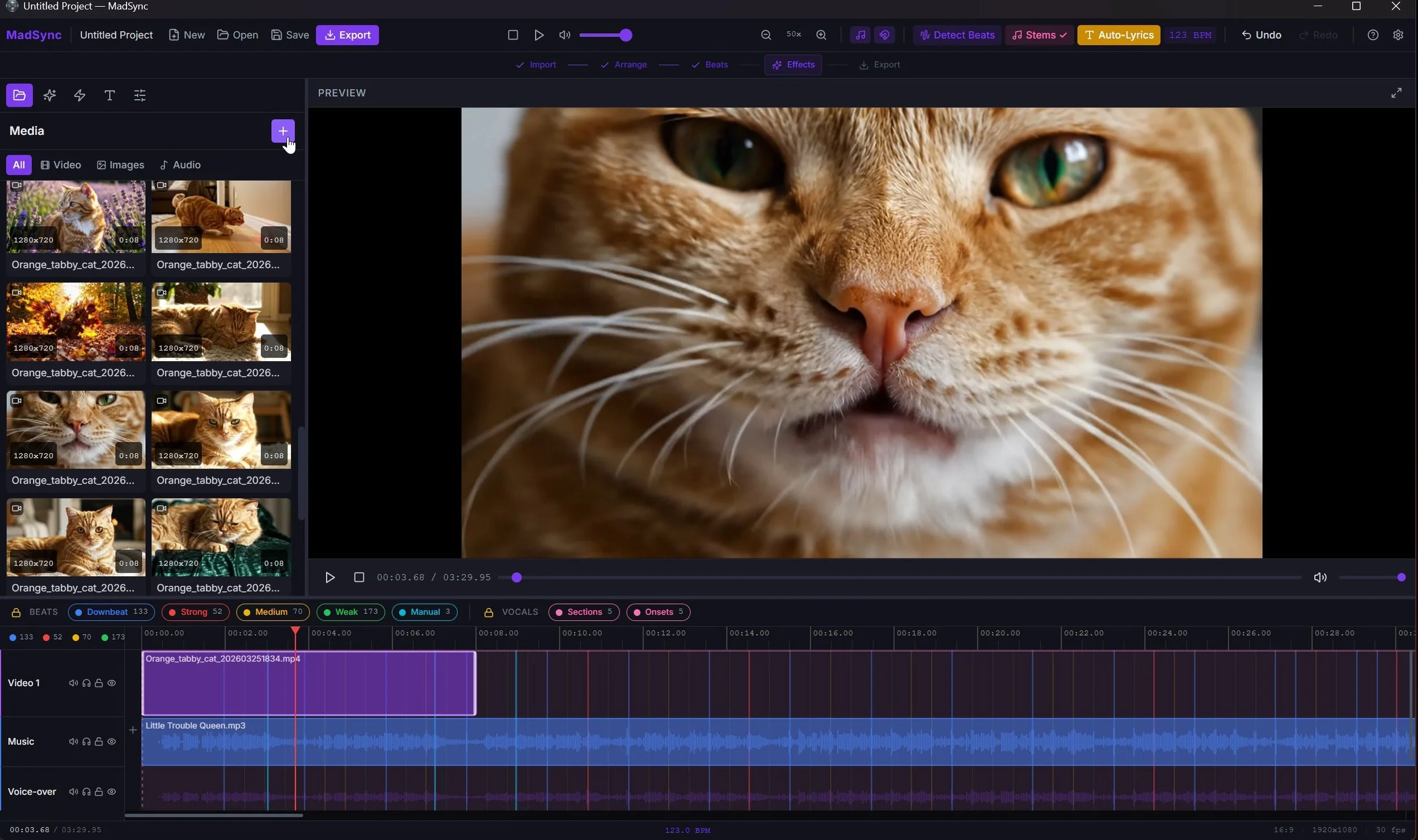
Before generating lyrics, you'll want to run beat detection and stem separation on your track. You can do all three at once or one at a time. If you have multiple songs on the timeline, either highlight the one you want to process or leave nothing selected and MadSync runs through all of them.
Once stems are separated, hit the Lyrics button. AI listens to the vocal track, picks out every word, and drops a full transcription onto a dedicated lyrics track. Each word has its own start and end time based on the actual vocal performance.
It works in over 99 languages. K-pop? Korean lyrics. Reggaeton? Spanish. French, Japanese, Hindi, Arabic. The AI figures out the language on its own. You don't pick anything from a dropdown. You don't configure anything. Just click and it handles it.
Depending on the song length, the whole process takes anywhere from a few seconds to a couple minutes.
That's honest about the workflow without making it sound complicated. Three clicks in sequence, not one, but the process is still fast and straightforward.
Pick How the Lyrics Show Up
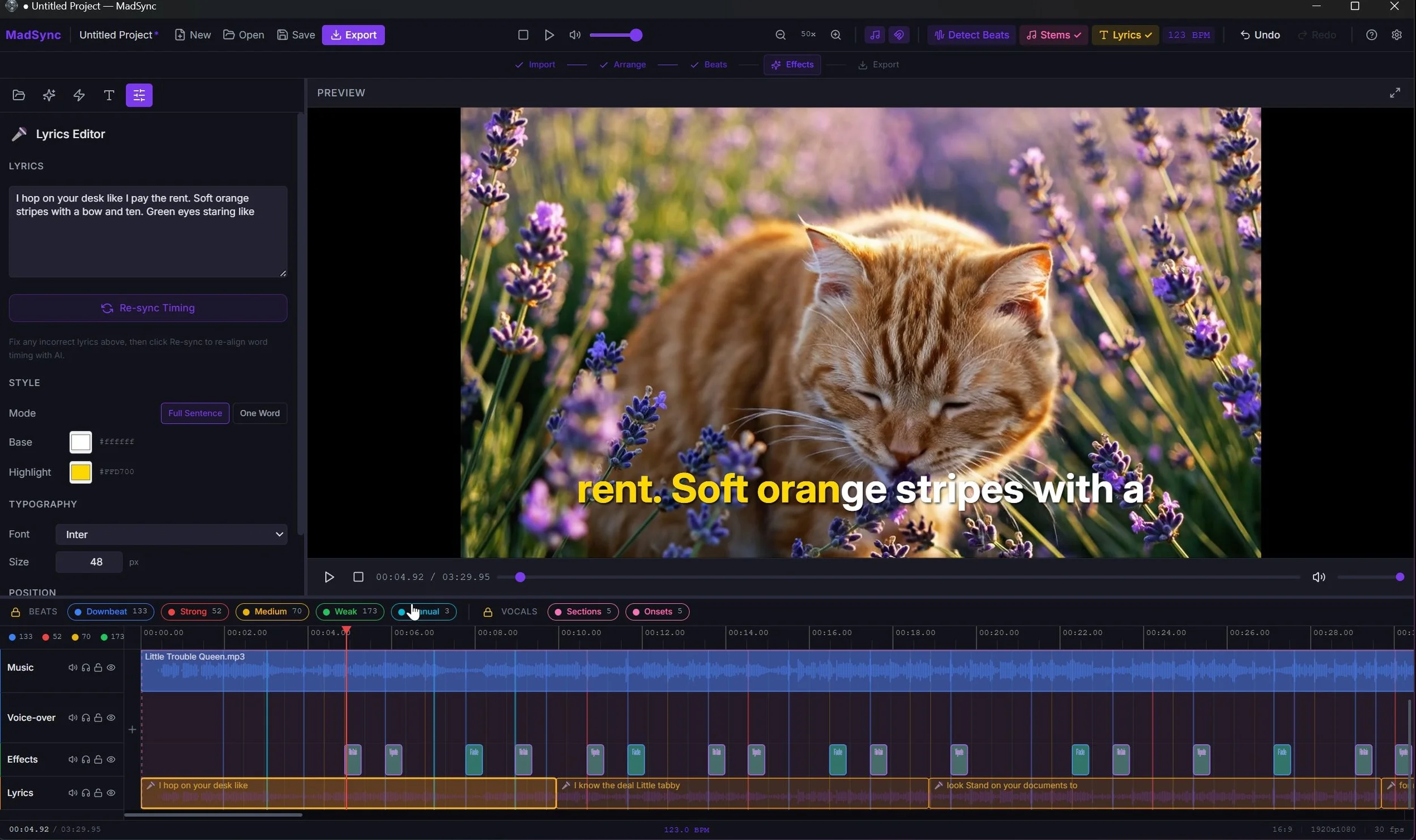
You get two display modes.
Full Sentence shows the current line on screen like a karaoke machine. When the next line starts, the text swaps.
One Word pops individual words one at a time, synced to the voice. That TikTok style where each word hits the screen right as the singer says it. If you've seen lyric videos on Reels or Shorts, this is that.
Both modes are timed to the actual vocal performance.
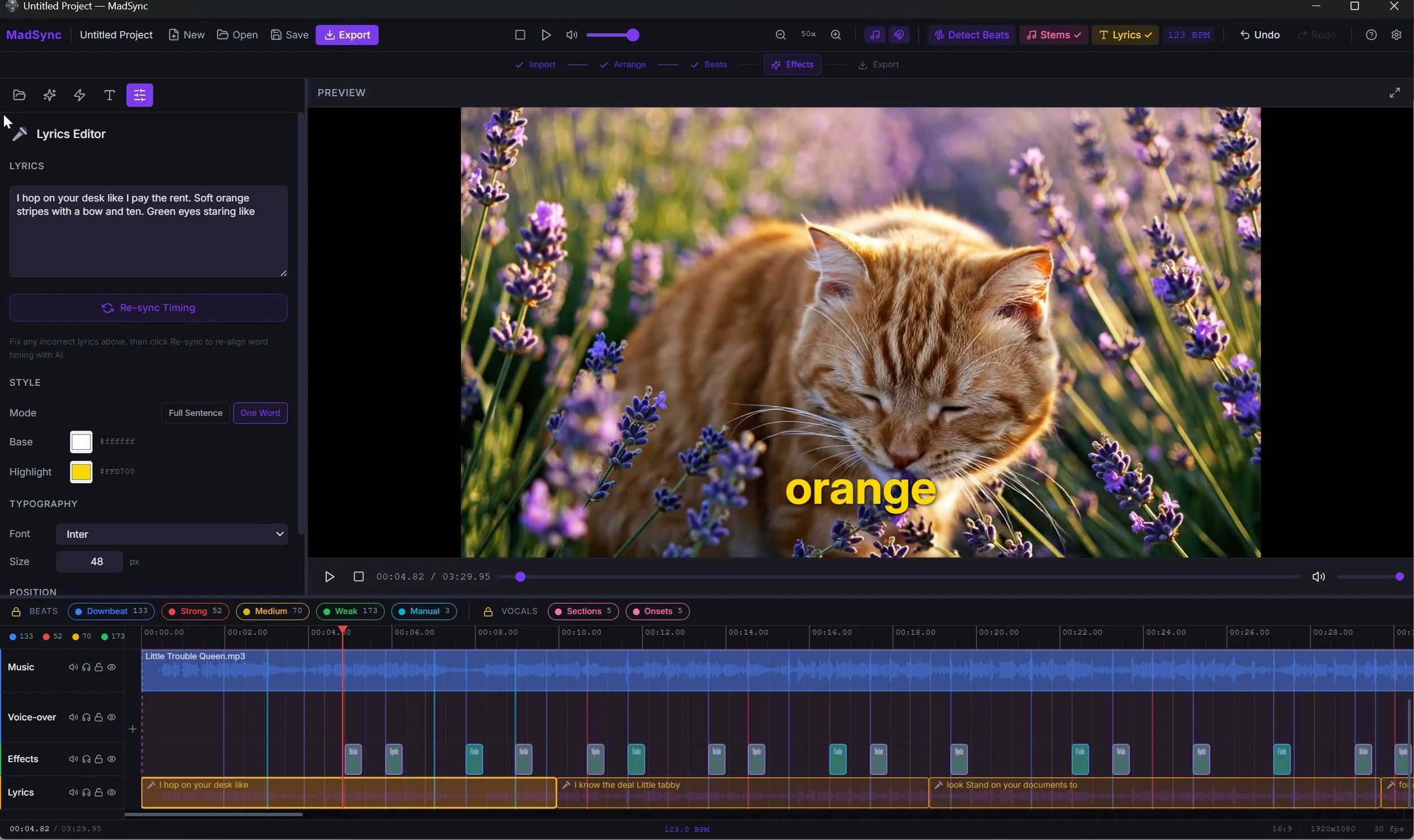
Fix What the AI Gets Wrong
The transcription is solid but it's not going to nail every word, especially on tracks with heavy reverb or distortion. When it misses something, click the lyric clip, type the correct word, and hit Re-sync.
MadSync re-runs AI on just that section using your corrected text as a guide. Fresh word-level timestamps come back in seconds. You don't redo the whole song. You just patch the spot that needs it. It's a manual step but it takes seconds compared to the minutes of dragging subtitle timings around by hand.
Make It Look Right
You've got options for styling. 14 fonts bundled in the app. Pick a base text color and a separate highlight color for the active word. Adjust the size. Snap it to top, center, or bottom with presets or use the Y-axis slider to put it exactly where you want it.
White bold text on a dark video looks clean. Neon on black for a music video feel. Small and subtle at the bottom if the lyrics are secondary to the footage. Whatever fits what you're making.
Export and You're Done
MadSync bakes the lyrics right into the video. No separate subtitle file. No hoping the platform supports your format. The words are part of the video itself so they look the same everywhere you upload.
16:9 for YouTube. 9:16 for TikTok, Reels, and Shorts. A full project exports in about 38 seconds.
Why I Didn't Just Use CapCut or Premiere
CapCut does have an auto-lyrics feature but it's only fully supported on mobile, it disappears depending on your version and region, and it requires a cloud connection. Musicians regularly report it butchering their lyrics. There's no re-sync option to fix misheard words with fresh timestamps.
Premiere Pro doesn't have built-in lyric generation at all.
MadSync runs everything on your machine. The lyrics feature works offline, handles 99+ languages, and when the AI gets a word wrong you can fix it and re-sync just that section. Your audio stays on your computer. It works the same today as it will next year because nothing depends on a server or a subscription staying active.
It Does More Than Lyrics
Lyrics are the headliner but MadSync also packs in AI beat detection that maps every beat in your track, stem separation that isolates vocals, drums, bass, and instruments, 10 style presets with beat-triggered effects, 8 transitions, text overlays, and dual audio tracks for music and voiceover.
$49. One time. No subscription. Runs offline on Windows 10 or 11.
Try It
Check out MadSync atmadfable.comand see what your next video sounds like with lyrics that actually land on beat.