MadPeel. Free AI background remover for Windows.
Remove backgrounds, clean up edges, add shadows, export for Instagram, Amazon, or Etsy - free forever, one image at a time. No watermark, no time limit, no account. Need whole folders at once? Batch is a one-time $39 unlock.
Free download · No watermark · No account · Batch is $39 once
See what it does
The free version is the full editor - all three AI models, brushes, shadows, every export size. Not a trial. No watermark. No account. Your images never leave your computer.
Built for people who remove backgrounds and hate paying monthly for it.
E-commerce sellers
You list products on Amazon, Etsy, or Shopify and need clean white backgrounds. You don't want to pay per image or sign up for a subscription just to remove backgrounds from your product photos.
Small business owners
You update your website, social media, or marketing materials yourself. You need professional-looking images without hiring a designer or paying for Photoshop every month.
Content creators
You make thumbnails, social posts, or graphics and need cutouts fast. MadPeel gives you clean removals with edge refinement and shadow tools without uploading your images to someone else's server.
Designers and photographers
You do client work and need batch processing. Drop 50 images in, pick a model, and let it run. Refine the tricky ones by hand with the brush tool. Export everything in one go. Batch is MadPeel's one $39 unlock - try the whole editor free first.
Everything you need to remove backgrounds. Nothing you don't.
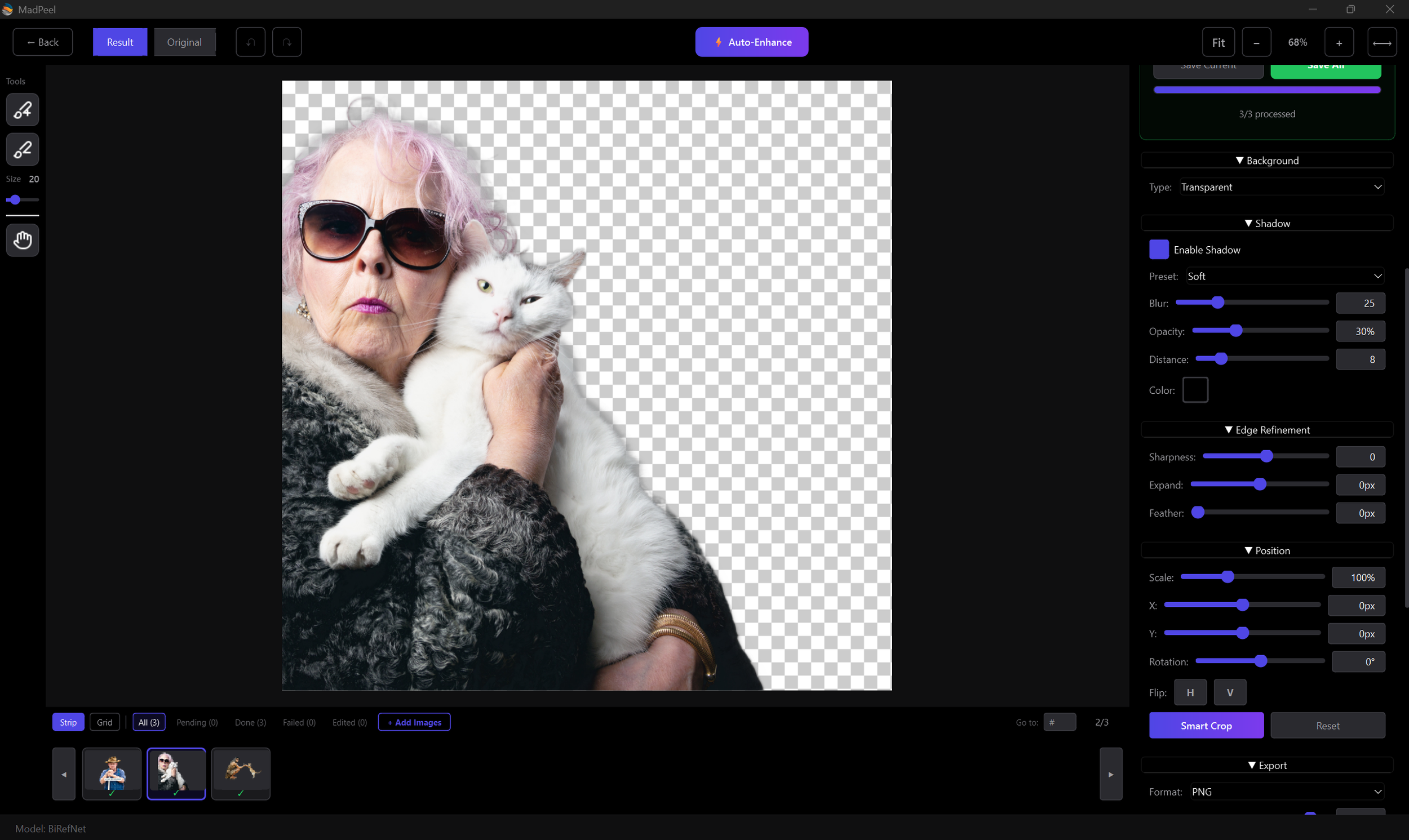
Three AI models for different jobs
MadPeel removes backgrounds automatically using BiRefNet — tuned for sharp detail on products and objects. Need a different result on a particular image? Switch to BiRefNet Portrait (clean silhouettes for people) or Portrait Mode (soft, natural edges for hair and fur) and re-run that image. Hardware-accelerated: MadPeel uses your graphics card for fast background removal, with automatic CPU fallback if you don't have one.
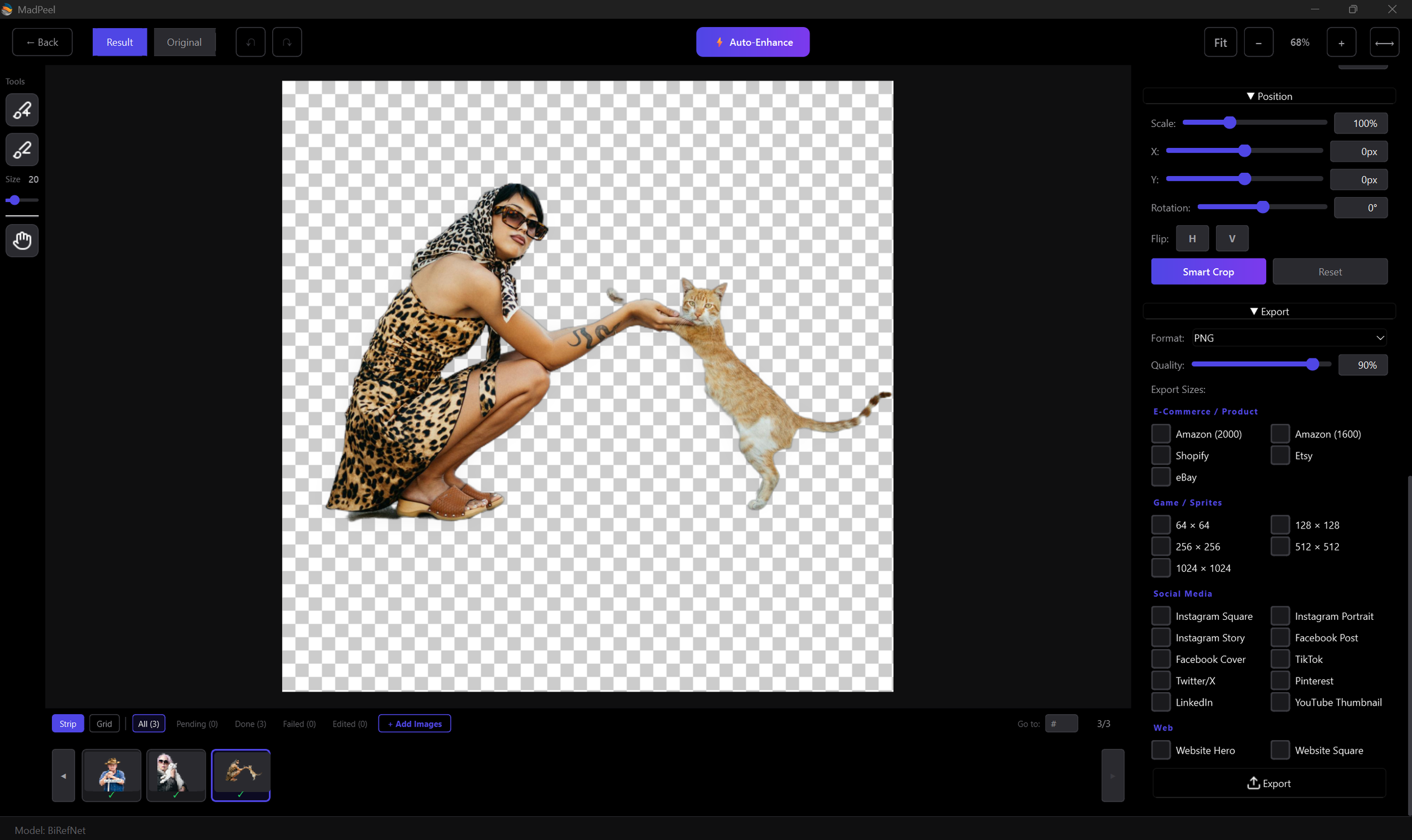
Export presets for everywhere you post
Instagram, TikTok, Facebook, Pinterest, YouTube, Amazon, Shopify, Etsy, eBay. Sprite sheets from 64x64 to 1024x1024 for game assets. Pick a preset and the image gets sized and formatted correctly. Export as PNG, JPEG, or WebP. No guessing dimensions.
Edge refinement and shadow tools
Sharpen edges, expand or shrink the cutout, feather for a softer look. Add a drop shadow with controls for blur, distance, angle, and opacity. Fine-tune brightness, contrast, highlights, shadows, saturation, and warmth - get polished shots without opening another app. Small touches that make the difference between a cutout and a finished image.
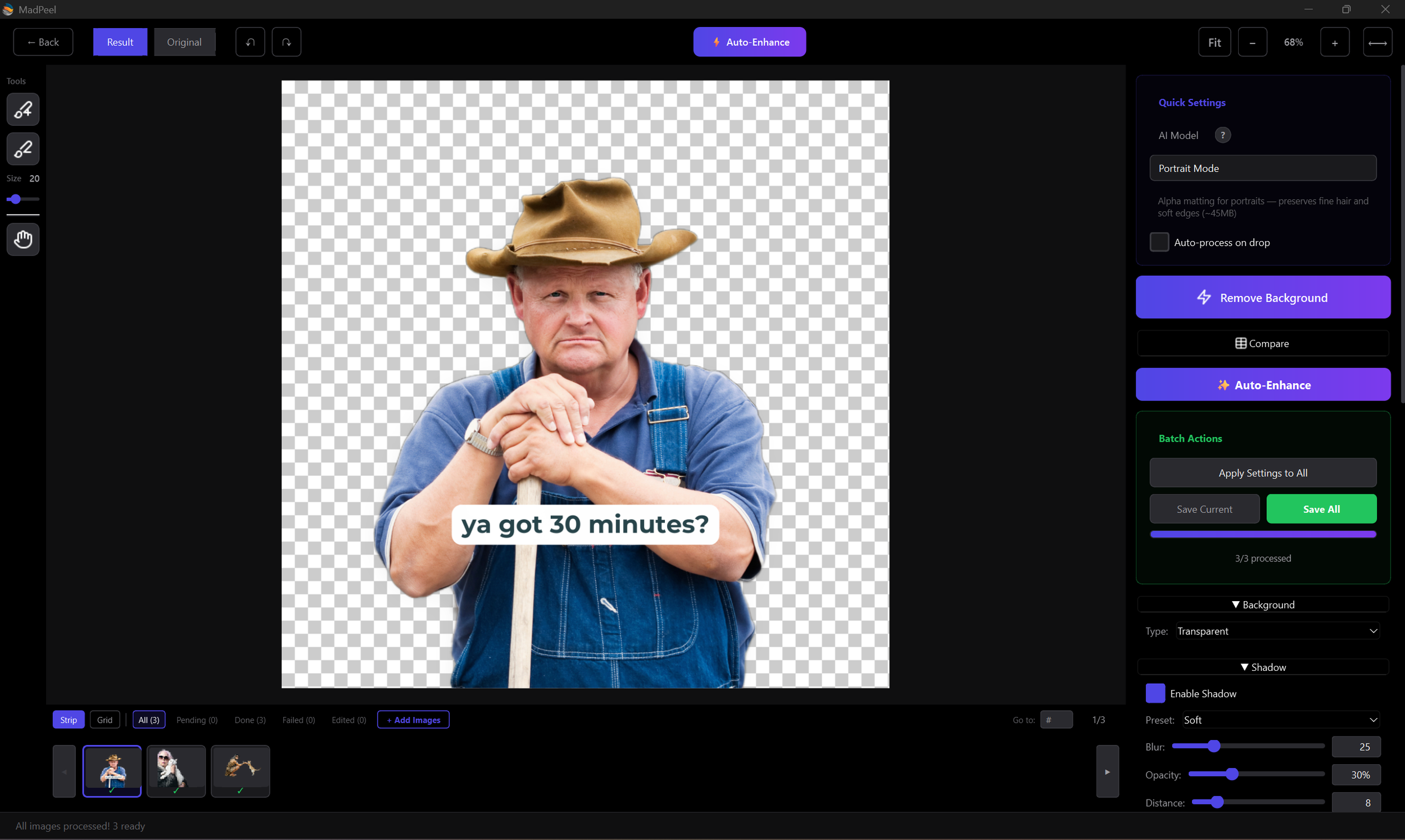
Batch processing
Drop in a set of photos and MadPeel removes the backgrounds automatically.Flip through results in the filmstrip, touch up any that need it, and export the whole batch. Good for product catalogs, team headshots, or any job with more than a handful of images. Batch is MadPeel's one paid feature, a one-time $39 unlock, bought right inside the app.
Fix it by hand when you need to
The AI gets it right most of the time. When it doesn't, use the brush tool to add or remove parts of the mask. Zoom in, adjust the brush size, and fix exactly what needs fixing. You're not stuck with whatever the model gives you.
Your images stay on your computer
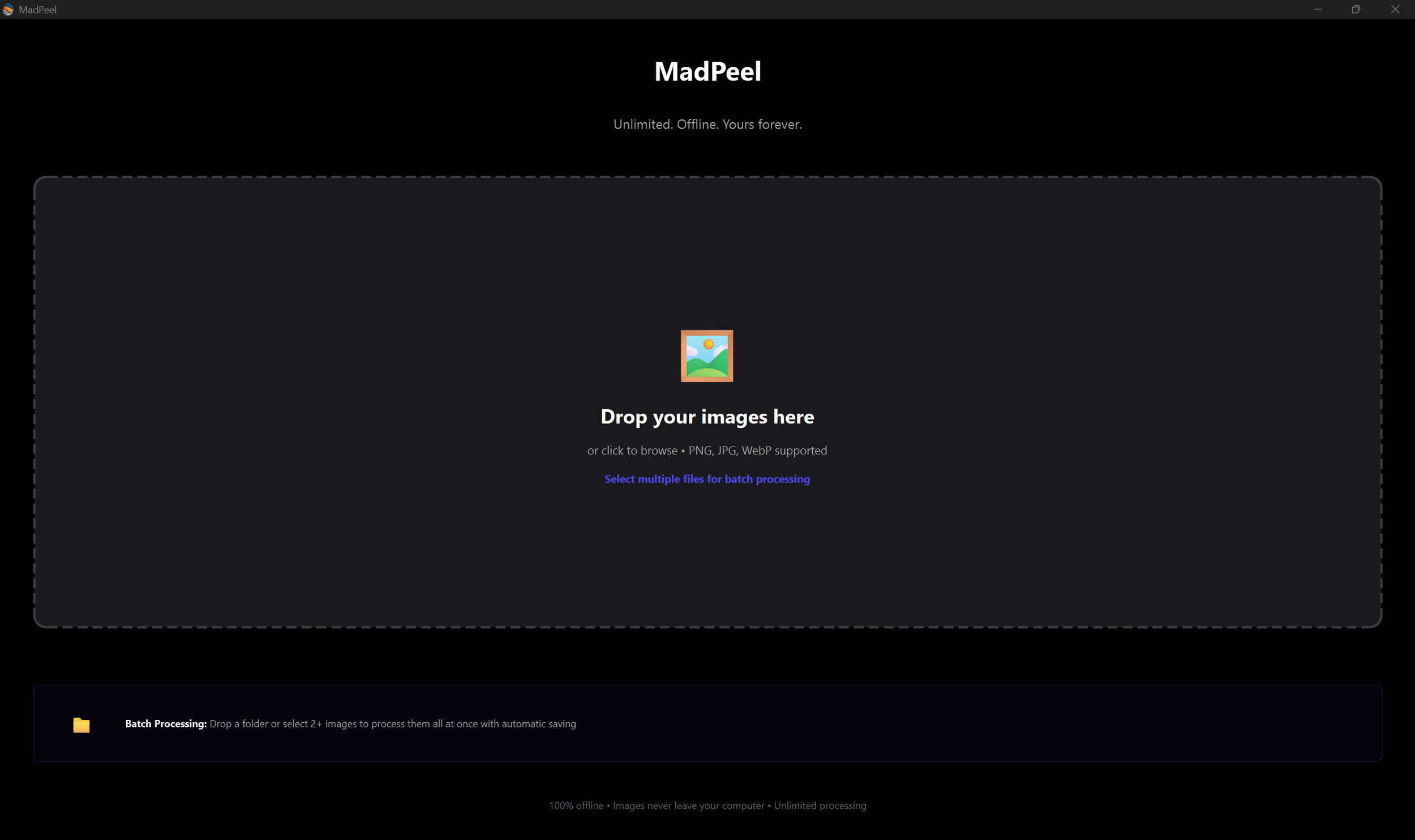
MadPeel runs on your desktop. Your photos never get uploaded to a server. The AI models are built into the app. Everything happens on your machine. No internet needed after you install it.
See it in action.
A quick look at how MadPeel removes backgrounds, refines edges, and exports your images.
What you're paying now vs. what you could pay never.
| Tool | Price | Year 1 cost | Local processing |
|---|---|---|---|
| MadPeel | $39 once | $39 | Yes |
| remove.bg | ~$29/month | ~$348 | No |
| Canva Pro | ~$15/month | ~$180 | No |
| PhotoRoom | ~$10/month | ~$120 | No |
| Adobe Express | ~$10/month | ~$120 | No |
Competitor prices are approximate and may vary. Check each provider's website for current pricing. MadPeel's single-image editor is free; batch processing is a one-time $39 purchase. Free updates either way.
Common questions about MadPeel.
-
You can open PNG, JPEG, WebP, BMP, TIFF, and GIF files. Export as PNG (with transparency), JPEG, or WebP. Pick the format that works for where you're posting.
-
As many as you want, one at a time, free. Batch mode - dropping in a whole folder and exporting everything at once is the one-time $39 unlock.
-
The free version never needs one after download. The AI models are built into the app and your images never leave your computer. If you unlock batch, you'll be online once to activate your license key; after that, everything runs offline.
-
Windows.
-
BiRefNet is the general-purpose model. Best for products, objects, logos, and anything with defined edges. BiRefNet Portrait is trained on people. Best for full-body shots and group photos. Portrait Mode uses a different approach that gives you smooth, feathered edges. Best for headshots and close-ups where hair detail matters.
-
Yes. Keep it transparent, set a solid color, pick from gradient presets, or use your own image as the background. You can also scale, move, and rotate your subject on the new background.
-
Email support@madfable.com. You'll hear back from the person who wrote the code.
-
Yes. It's the full single-image editor. All three AI models, brush editing, shadows, every export preset forever. No watermark, no expiry, no account. Batch processing is the only paid feature.
-
Processing whole folders at once: drop in 100+ images, let them run, review in the filmstrip, and Save All in one go. One payment, no subscription, free updates.
-
Click Buy inside the app - checkout opens in your browser, your license key arrives by email, and you paste it into the unlock box. Batch unlocks instantly. No reinstall.
-
Nothing. Batch stays unlocked on your license, and this update is free like all the others.
MadPeel. AI Background Remover.
Free
No watermark. No subscription. Yours forever.