How to Remove Background From Images Without Paying Monthly
I was paying like $9 a month to remove backgrounds from photos. For months. Didn't even think about it until I checked my statements. That's when I was like, why am I paying monthly for something this simple. So I just built one.
That's MadPeel. It costs $14 once and it runs on your computer.
How It Actually Works
Open the app. Drag your image in. Pick one of three AI models depending on what's in the photo. Hit remove. You get a clean transparent background in a few seconds. Touch up the edges if you need to, export it in whatever size and format the platform you're posting to wants, and move on.
That's the whole process. There's nothing to upload, nothing to sign into, nothing running in the cloud.
Every Background Remover Online Has the Same Problem
Every background removal tool out there works the same way. You upload your photo to their server, their AI does the work, and you download the result. Then they charge you monthly for it. Or they charge you per image. Or they give you a "free" version that exports at potato quality so you'll upgrade.
And the whole time, your photos are sitting on their servers. Most of these companies use your uploads to train their AI. It's buried in the terms of service that nobody reads. Your product photos, your client headshots are being used to make their tool better so they can charge you more next year.
MadPeel Just Runs on Your Machine
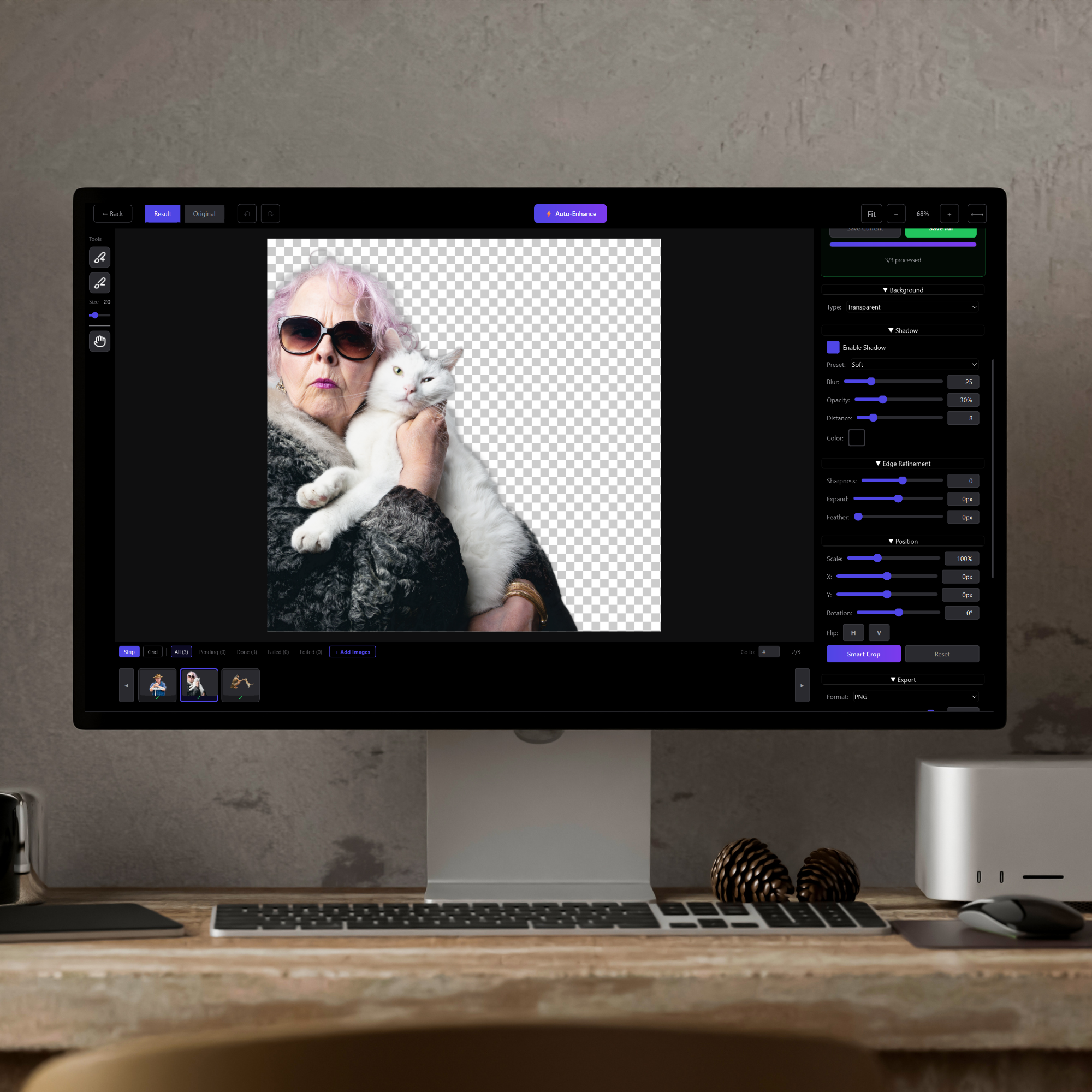
The AI models are built into the app. When you drop an image in, your computer handles everything. Your photos never go anywhere. Nothing gets uploaded. Nothing gets tracked.
And once you activate the license the first time, the whole thing works offline.
Three AI Models Because One Wasn't Enough
A product photo on a white background is easy. A headshot with messy hair is hard. A group photo at a company event is somewhere in between.
BiRefNet is the general-purpose one. Products, objects, logos, anything with clean edges. If you're shooting inventory for Etsy or Amazon and need a clean white background on every product photo, this is the one to start with.
BiRefNet Portrait is trained on people. Full-body shots, group photos, team pages. It figures out where the person stops and the background starts even when a dark jacket meets a dark wall.
Portrait Mode is for close-up headshots where hair detail actually matters. Instead of hard edges that make someone look like they were cut out with safety scissors, you get soft feathered edges that look natural.
Try all three on the same image. Takes about four seconds to switch.
Process a Bunch of Images at Once
Doing images one at a time works if you have five. If you have fifty or five hundred, that's your whole afternoon gone.
MadPeel handles multiple images at once. Load them up, pick your model, let it run. Flip through the results, fix anything that looks off, export everything. E-commerce sellers, photographers, game devs — it handles the volume without charging extra for it or capping how many you can run.
When the AI Gets It Wrong
It will sometimes. Every background remover misses things. A finger gets clipped. A shadow sticks around. Part of the background matches someone's shirt and the AI gets confused.
Most tools make you start over. MadPeel has a brush tool. Zoom in, paint the mask back where it belongs, move on. You're fixing a small detail instead of reprocessing the whole image.
There's edge refinement too. Sharpen, expand, shrink, feather. Need a drop shadow so the cutout looks like it actually belongs on a new background? Adjust the blur, angle, distance, and opacity right in the app.
All of it comes with the $14. Nothing is locked behind an upgrade.
Export Presets So You Stop Guessing Dimensions
Instagram wants square. Amazon wants specific product photo sizes. TikTok wants vertical. YouTube wants something else entirely. Sprite sheets for game assets need exact pixels.
MadPeel has presets for all of them. Instagram, TikTok, Facebook, Pinterest, YouTube, Amazon, Shopify, Etsy, eBay. Sprite sheets from 64x64 up to 1024x1024. Pick the preset, pick your format (PNG, JPEG, or WebP), and you're done.
Background Remover Price Comparison
Remove.bg: $9 a month. Canva Pro: $13 a month. Adobe Express: $10 a month. PhotoRoom: $9 a month.
Over a year that's $108 to $156. For removing backgrounds from images.
MadPeel: $14. Once. And your images stay on your machine.
I still don't get how people pay monthly for this.
Who Needs a Background Remover Like This
Honestly? Anyone who removes backgrounds more than a couple times a year. E-commerce sellers who need a clean white background on every product photo. Content creators making thumbnails and social posts. Designers doing client work. Photographers delivering headshots. Game devs exporting sprites and assets. Small business owners who just want a clean image without subscribing to yet another tool.
If you've been paying monthly for background removal, do the math on what you've spent this year. Then look at MadPeel and ask yourself what took so long.
Get MadPeel
$14 once. Three AI models. Batch processing. Edge refinement. Shadow tools. Export presets for every platform. Runs on your machine.
Get MadPeel on our website or find it on the Microsoft Store.