
remove.bg is shutting down on December 1. Here’s where your product photos go next.
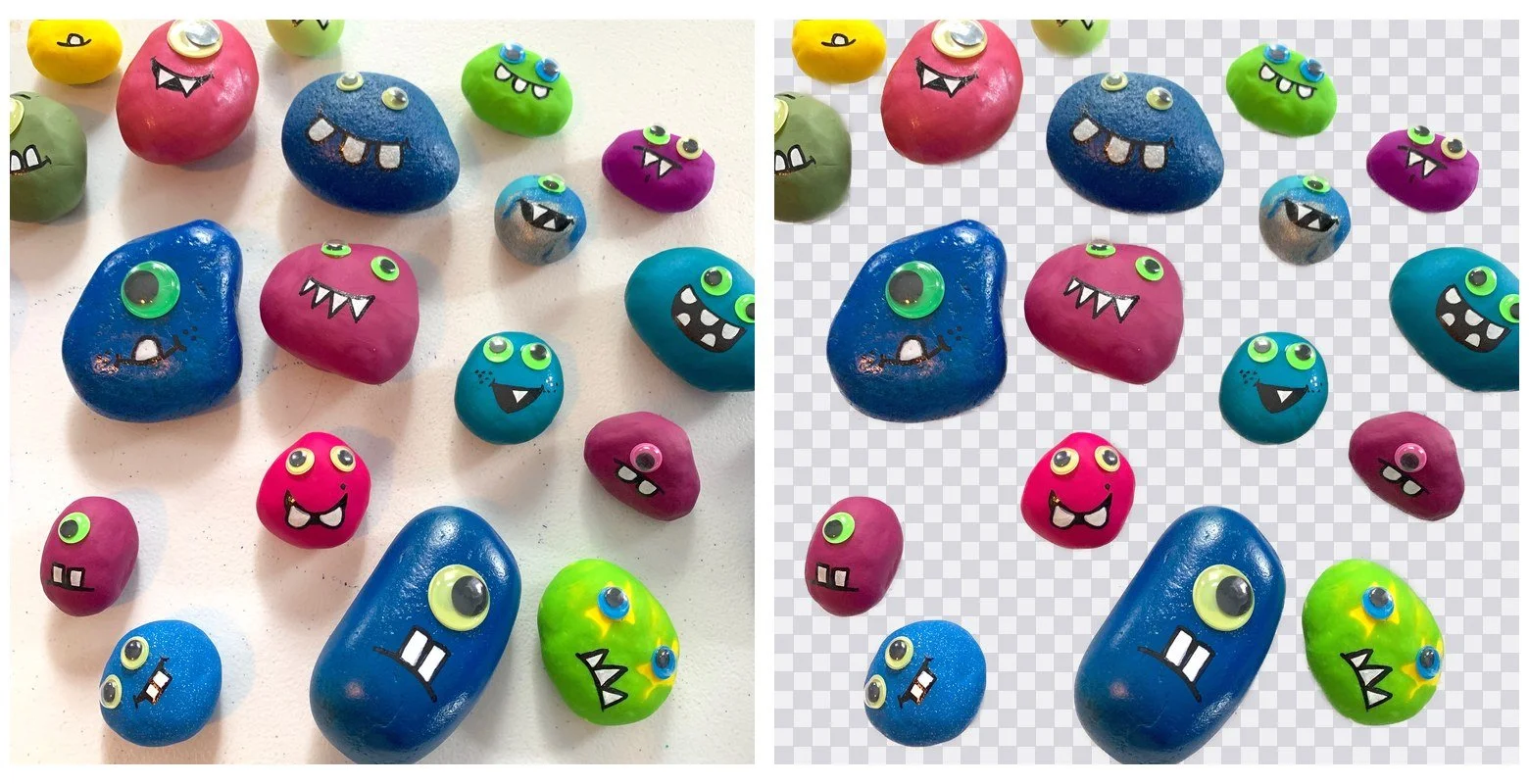
remove.bg's standalone site closes on 1 December 2026 at 9:00am CET. The service is moving into Canva, and credits expire at that moment. I read that off remove.bg's pricing page and their FAQ on 23 September 2026. If you pay per image to clear backgrounds off your product photos, you have until December 1 to decide what happens after that.
What happens to your credits
Pay-as-you-go credits and subscription credits both expire at shutdown. That is what the page says, and it is all the page says. There is no mention of a transfer, a refund or a grace period. If you are sitting on credits, spend them on photos you already have before December 1.
Your three options
There are three real answers here, and only one of them is mine.
Move to Canva
remove.bg is moving into Canva. If you already pay for Canva, that is the short answer and it is a fine one. You are not learning a second tool or adding a second bill. I am not going to try to talk you out of it.
Pick another cloud tool
Photoroom's API is $0.02 and $0.10 per image on their own pricing page. The free bulk tools all cap how much you can drop in at once: Fotor takes 50 images per batch, removebackgrounds.ai 30, RemoveBgNow 30, Backgroundless 40, BgEraser 20, Vheer 20. A hundred-photo shoot means splitting the folder up by hand.
remove.bg's own help page says images are uploaded to their servers and deleted about an hour later. That is disclosed and normal for the category, and worth knowing before you upload a shoot you have not listed yet.
If you sell on eBay, you may not need any of this. eBay ships its own one-click background remover in the web lister and in the app. It is free and already in the tool you list with. I would use it before buying anything.
Run it on your own machine
This is the one I make. MadPeel is a Windows app, $39 once, no subscription. You point it at a folder and it writes the cutouts back out. Your images never leave your computer.
If your photos are already shot on a plain sheet, you may not need AI at all. The manual methods are in remove a background without AI. If the part you care about is that nothing gets uploaded, that argument is in background removal that runs offline on your PC.
What it costs to do 100 photos
remove.bg's free tier is preview only, capped at 0.25 megapixels. That is roughly 625 x 400. A full-resolution download costs one credit.
These are the paid numbers on remove.bg's pricing page on 23 September 2026. Pay-as-you-go is 3 credits for $3. A subscription is 40 credits for $9 a month. Enterprise "starts at 100,000 images per year."
So, 100 full-resolution images at one credit each:
Pay-as-you-go: $3 buys 3 credits, so a credit is $1. 100 images is $100.
Subscription: 40 credits a month covers 40 images, so 100 images takes three months. $9 x 3 is $27.
MadPeel: $39, paid once.
$27 is less than $39 and I am not going to pretend otherwise. If those hundred photos are the last hundred you will ever shoot, renting was cheaper. The catch is that you cannot buy three more months of remove.bg. The site closes on December 1.
I do the longer version of this comparison in best background remover for product photos.
Doing a whole folder on your own PC
This is a real run, not a mockup: eleven photos of hand-painted rocks shot on a white sheet.
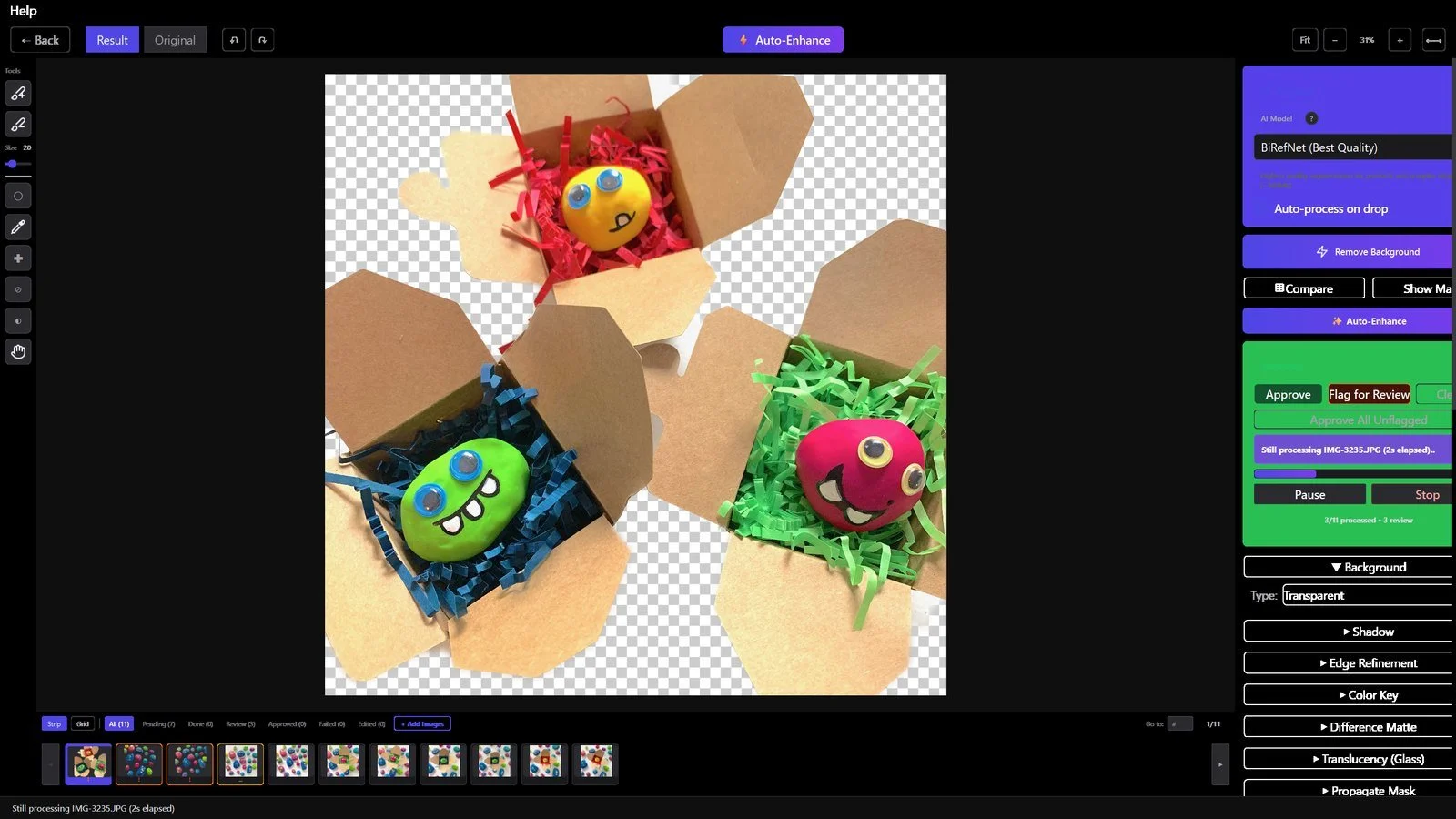
You drop the folder in and it starts. The filmstrip holds every image in the batch and the counter tells you how far through it is.
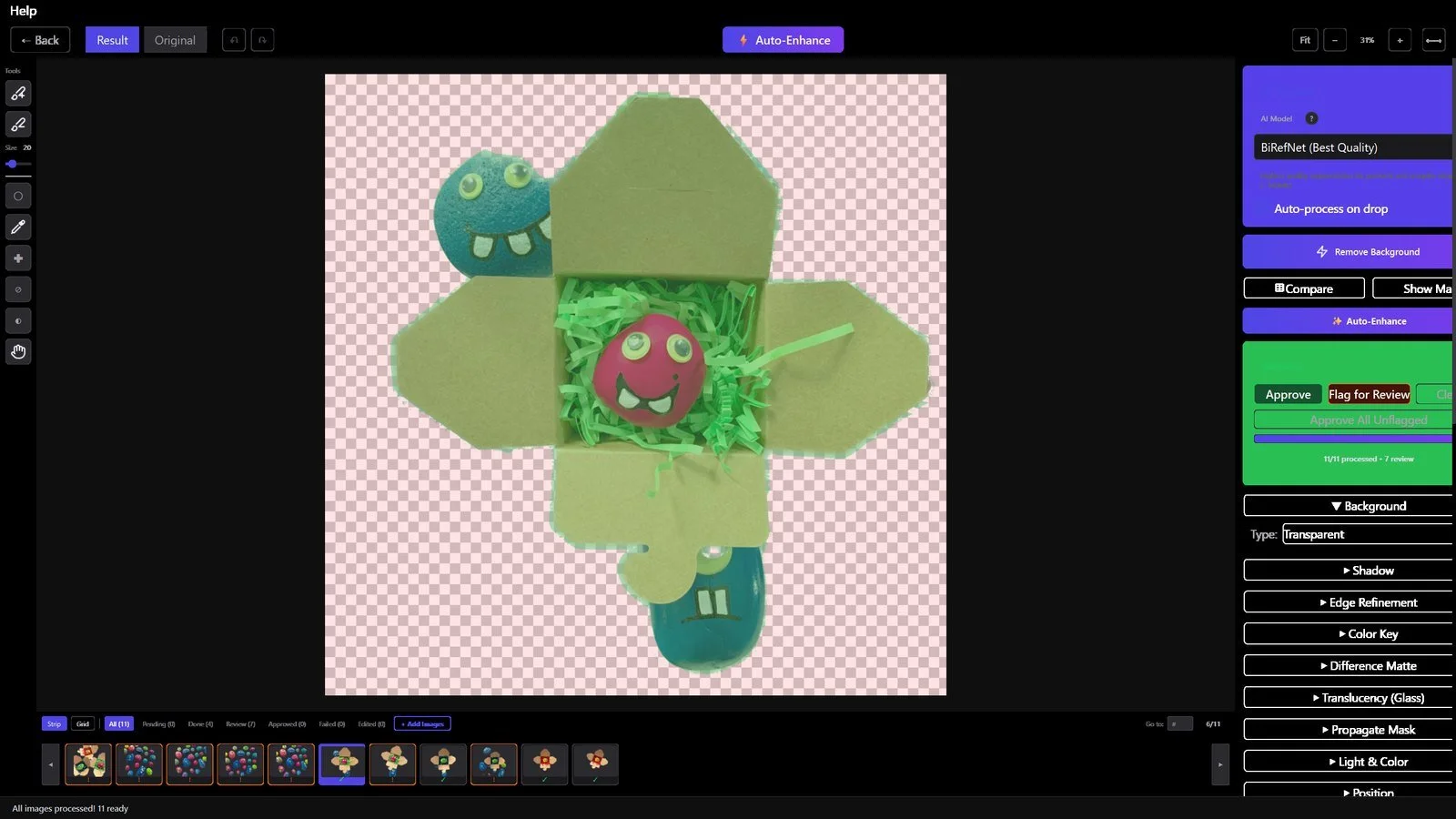
Then you check the work, because AI cutouts get things wrong. The mask overlay paints what is being kept in green and what is being removed in red. That is where you catch the handle it ate or the shadow it decided was part of the product.
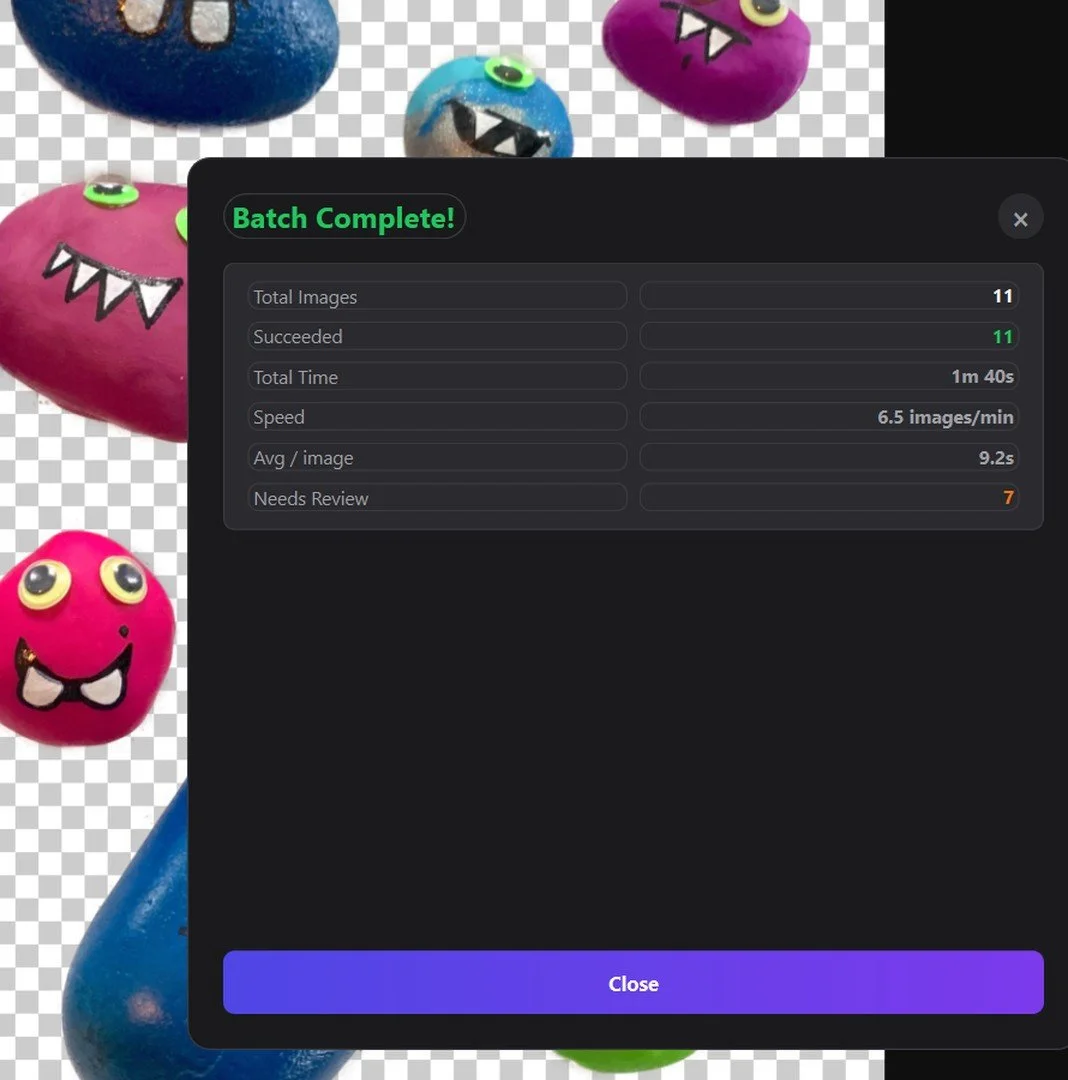
The summary tells you how many images finished.
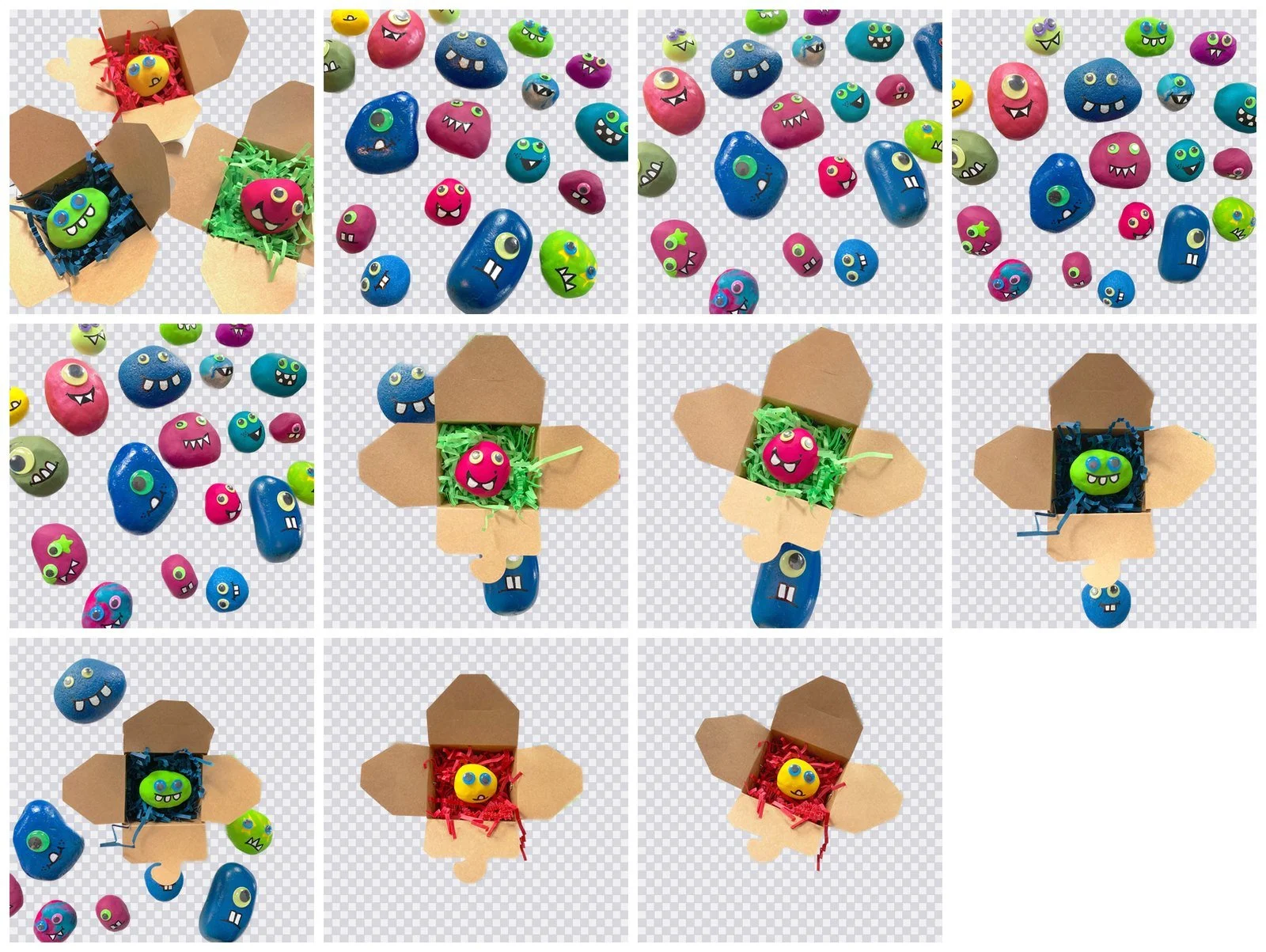
Ten of the eleven came straight out of the batch. The eleventh needed a touch-up, which I show below.
Then you export. MadPeel ships presets named after the marketplaces: amazon_main at 2000x2000, amazon_square at 1600x1600, etsy at 2000x2000, ebay at 1600x1600, shopify at 2048x2048. Those are my numbers, not the marketplaces'. I picked sizes that sit inside what each platform accepts. A preset does not make a listing compliant with anything. It sets a background and an output size.
I wrote up a bigger batch in two hundred photos, twelve problems.
The sizes each marketplace actually wants
I read these off each platform's own help page on 23 September 2026. A lot of posts quote numbers that are not on those pages at all.
| Amazon | Etsy | eBay | |
|---|---|---|---|
| Minimum | 500 px longest side | 635 px for the first listing photo | 500 x 500 px |
| Maximum | 10,000 px longest side | Not published | Not published |
| Recommended | 1,000+ px, which is what enables zoom | At least 2000 px wide and tall | About 1600 x 1600 px |
| File types | JPEG, TIFF, PNG, non-animated GIF. JPEG recommended. No BMP, PDF, EPS or PSD | .jpg, .gif, .png, .svg, .heic. No WebP | JPEG, PNG, GIF, TIFF, BMP, WEBP, HEIC, AVIF |
| Background | Main image: pure white, RGB 255, 255, 255 | No transparency | White recommended, not required |
| File size | No published cap | No hard cap. Over 1MB may not finish uploading | 12MB per file |
| Color | RGB preferred, at least 72 dpi | sRGB | Not published |
There is no Shopify row because I could not verify Shopify's published numbers.
Amazon
The main image rule is the one people get wrong. Amazon's Seller Central help page says the main image must "Have a pure white background (RGB color values: 255, 255, 255)" and must "Show the product as 85% of the image."
There is no "at least" in that sentence. Amazon also never says whether 85% means area or longest dimension, so I am not going to guess on your behalf.
Additional images, PT01 through PT99, may use other backgrounds and lifestyle scenes. Amazon wants at least 72 dpi, prefers RGB, and asks you to "Submit images with minimal or no compression" and to save JPEGs "at the highest possible quality level." The consequence is on the same page: "If there is no main image that meets the requirements, we may temporarily remove the product listing from search until a compliant main image is provided."
Etsy
The first listing photo has to be at least 635 px or the listing ranks lower in search.
You get 20 photos and 2 videos of 5 to 15 seconds per listing. Guides still saying 10 and 1 are two years out of date. Etsy wants sRGB. It contradicts itself on square versus landscape on the same help page, so I would not build a workflow around either.
There is no hard file size cap. The page says only that "Images larger than 1MB in file size may not finish uploading, especially on a slower internet connection."
eBay
eBay accepts the widest format list of the three. White is a recommendation, not a rule. eBay's help page says "White backgrounds are generally best, but for shiny or reflective items like a piece of jewelry, a darker background can work better."
On watermarks, eBay says "Do not add graphics to images such as badges, logos, copyright notices or watermarks as they can affect your listing's placement in search results." That is a search-ranking tip, not a prohibition. One rule that is a rule: "You can't use a catalog or stock photo if you're listing an item as used."
The Etsy trap nobody mentions
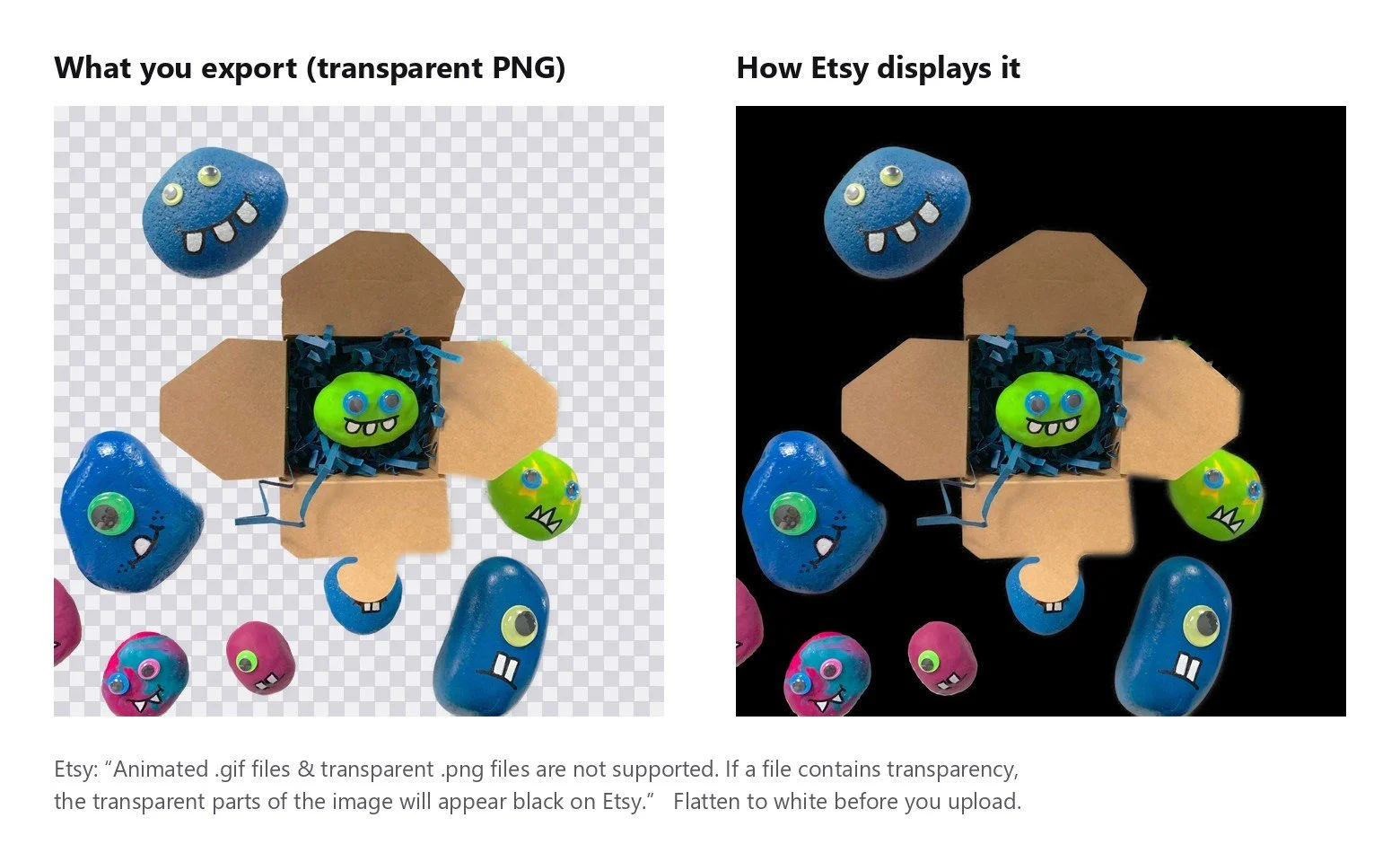
Every background remover hands you a transparent PNG. Etsy's help page is direct about what happens next: "Animated .gif files & transparent .png files are not supported. If a file contains transparency, the transparent parts of the image will appear black on Etsy."
MadPeel exports transparent by default, so this catches my own customers too. Flatten to white before you upload to Etsy. Amazon wants pure white on the main image anyway, so the white version is the file you want in both places. More on picking the right export per marketplace: which background remover to use for product photos.
When it gets one wrong
On this run, one photo in eleven needed fixing. The AI kept the main product and dropped three loose rocks sitting around it. Three Smart Restore clicks put them back.
One in eleven is the number I would plan around. It is not perfection and I am not going to sell it as perfection. In practice you check the batch, fix the one or two the model misread, and move on. That is what the mask overlay is for.
What this doesn't solve
MadPeel is Windows only. There is no Mac build and no phone app. If you shoot and list from your phone, this is not the tool for you.
It cannot open iPhone HEIC files. Etsy and eBay both accept HEIC, so you may be handing your phone photos straight to your listings today. With MadPeel you would convert them to JPEG or PNG first.
It is written by one person, and that person is me. Bugs get fixed when I get to them. There is no support queue behind me.
It also does not make your images compliant with anything. It sets a white background and exports at a size that fits inside the rules. Whether your product fills 85% of the frame is decided when you take the photo, not when you remove the background.
The fuller comparison against per-image pricing is on my product photos page. The free version of MadPeel is on madfable.com. Run your own folder through it before you spend $39 on anything, mine included.
Questions I keep getting
When exactly does remove.bg shut down?
remove.bg's standalone site closes on 1 December 2026 at 9:00am CET, and the service moves into Canva. Credits expire at that moment. I read that off remove.bg's own pricing page and FAQ on 23 September 2026.
What happens to my remove.bg credits?
Pay-as-you-go credits and subscription credits both expire when the standalone site shuts down on 1 December 2026. remove.bg's pricing page and FAQ say nothing about transfers, refunds or a grace period. If you are holding credits, use them on photos you already have before that date.
Is Canva a reasonable replacement for remove.bg?
Yes, if you already pay for Canva. remove.bg is moving into Canva, so the tool is going to where your subscription already is and you are not adding a second bill.
What does it cost to remove backgrounds from 100 product photos?
On remove.bg's pricing page on 23 September 2026, pay-as-you-go was 3 credits for $3, which works out to $1 per credit and one credit per full-resolution image, so 100 images is $100. A subscription was 40 credits for $9 a month, so 100 images takes three months and costs $27. MadPeel is $39 paid once, and after 1 December 2026 you cannot buy three more months of remove.bg at all.
Does Amazon require the product to fill at least 85% of the image?
No. Amazon's Seller Central help page says "Show the product as 85% of the image" with no "at least" anywhere in the sentence. Amazon also never says whether that 85% is measured by area or by longest dimension, so any post that tells you which one is guessing.
Why do my transparent PNGs turn black on Etsy?
Etsy's help page says "Animated .gif files & transparent .png files are not supported. If a file contains transparency, the transparent parts of the image will appear black on Etsy." Background removers export transparent PNGs by default, so the fix is to flatten the image onto a white background before you upload it to Etsy.
How many photos can I put on an Etsy listing?
Etsy's help page allows 20 photos and 2 videos of 5 to 15 seconds per listing. Guides that still say 10 photos and 1 video are two years out of date. Etsy also recommends listing photos at least 2000 px wide and tall, and the first listing photo must be at least 635 px or the listing ranks lower in search.
Does eBay require a white background?
No. eBay's help page says "White backgrounds are generally best, but for shiny or reflective items like a piece of jewelry, a darker background can work better." eBay also ships its own one-click background remover in the web lister and in the app, so eBay sellers may not need a separate tool at all.